Information Architecture research on notifications categories

A major pain point for our 44 million global users was the search and notifications usability within the cashless payment app.

As the core product designer, I collaborated with cross-functional team members to rethink the information architecture of the high-traffic mobile app. We focused on standardizing message categories to improve findability and user success.

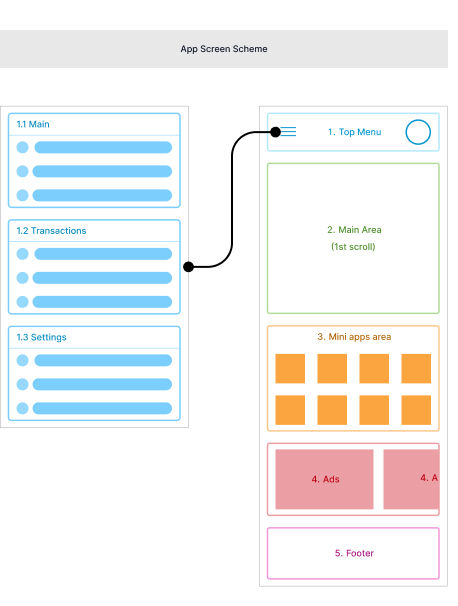
Information Architecture Planning
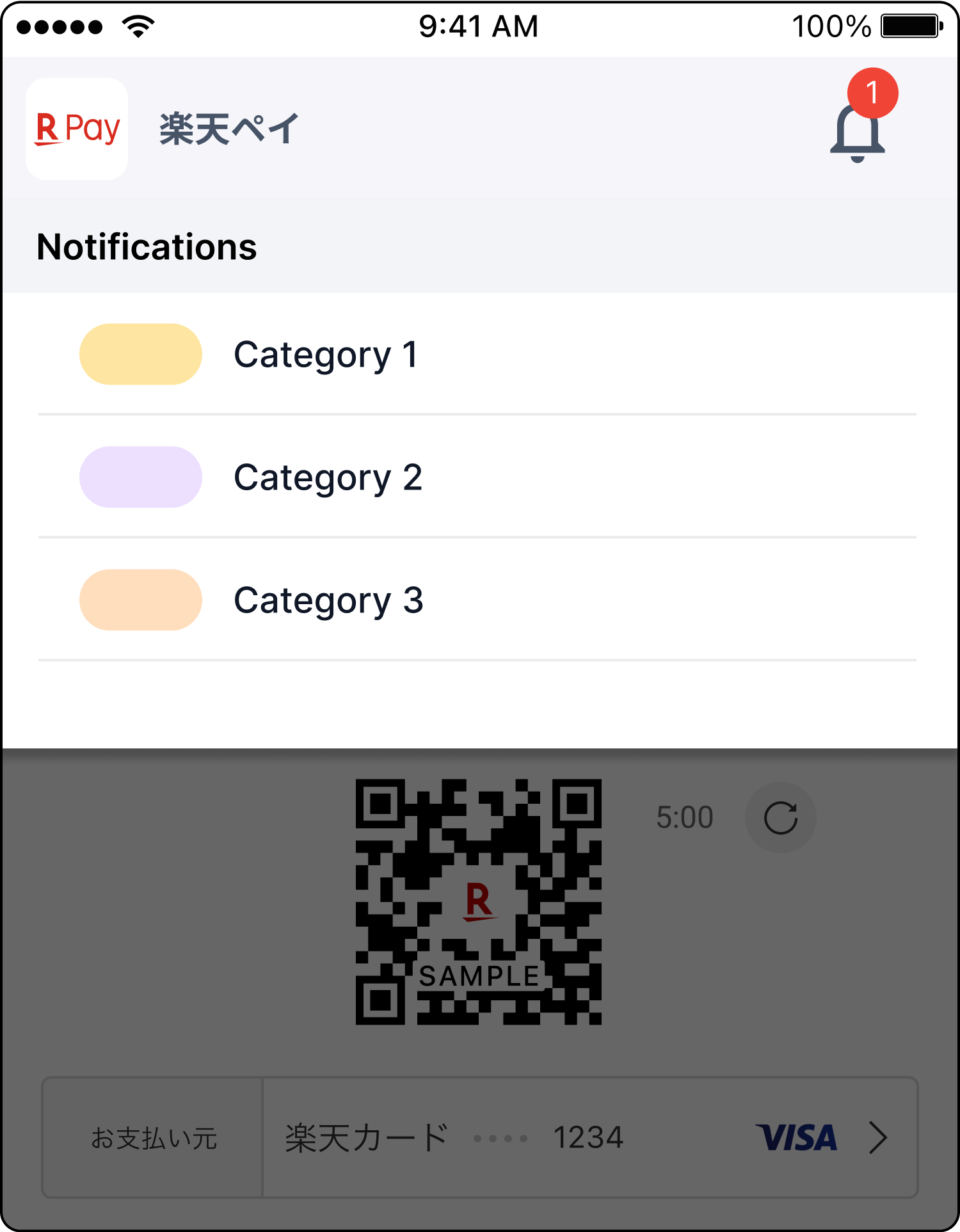
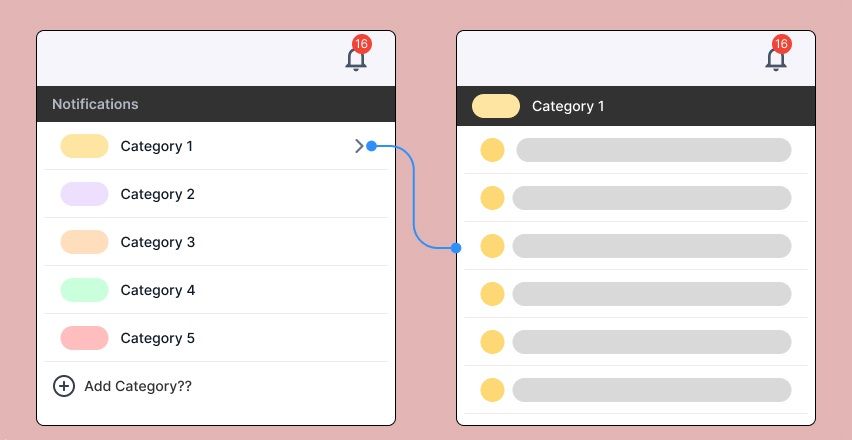
Notifications UI Before and After

Overview

Duration: Two months

Role: UX/UI Designer

Impact: Improved message usability, validating design choices through rigorous user testing.

How to validate success?

Find out what categories are causing confusion → Card sorting

Discuss the success with PMs and stakeholders → Tree Testing

  • Update the categories based on insights
  • Provide logic and reasoning
  • Test with users → Usability testing
Workshop 1

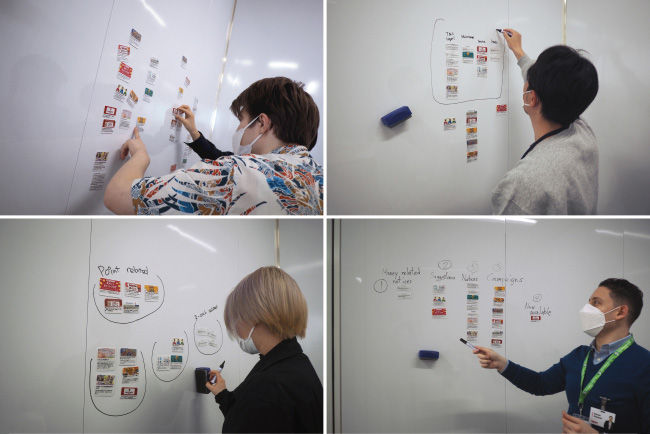
Research Design: Card-sorting

  • Gather 15 users for the card sorting app.
  • Analyze current notification categories and usage data.
  • Design open card-sorting tasks to observe how users intuitively group and label information.
  • Identify patterns in cognitive models and overlap in terminology.
  • Refine categories to ensure mutually exclusive, comprehensive labels.
  • Build a revised architecture tailored to user expectations.

Next

  • What categories fit user expectations best?
  • Where did users struggle to place specific notifications?

Outcomes

  • Users consistently sorted transactional messages into primary groups.
  • Promotional messages required clearer distinction.
  • Terminology was simplified for localization.
  • Established a scalable notification taxonomy that accommodates future feature expansions without breaking.
  • Eliminated dead-ends and reduced time-on-task for finding specific historical transactions.
Wireframes and Flows

Wireframes detailed the new IA structure mapping out primary, secondary, and tertiary layers to ensure scalability.

Takeaways

Card sorting provided crucial behavioral data that superseded internal company jargon and assumptions.

When presenting data to stakeholders, structuring the findings around user pain points (e.g., failed search queries) proved far more effective than just presenting the raw data.

Accessibility is not just about contrast; cognitive accessibility means organizing information so that it requires the lowest possible mental load from the user.

A scalable design system starts with scalable architecture. If the foundation is confusing, the UI cannot save it.

Documenting these findings created a knowledge base for future product squads, reducing duplicate research.

Watch the research & findings presentation

Rakuten Pay App Screen

Reflection

This project was a masterclass in aligning user needs with strict business and technical constraints within a massive global enterprise.

In parallel, I co-designed a first-ever responsive QR-code SDK, allowing the company to extend its cashless payment solutions to several other applications within the Rakuten ecosystem.

Ultimately, navigating complex stakeholder environments and ensuring our designs successfully passed strict accessibility standard audits (WCAG 2.0) reinforced the importance of inclusive, data-backed design.

Next Project

Rakuten Viber

Feature proposals & accessibility

Designing for a cross-platform voice over IP and instant messaging platform ensuring connectivity and smooth communication flows.

View Project
Rakuten Viber Screens
Previous: CED Next: Andook